

Requester wanted to be able to see dynamically the Top ‘N’ number of shows using a custom filter. The follow up question was then asked to either condense or show the other products within the “Other” Category, and be able to filter by Booking Window.
*NOTE: DATA IS ALTERED AND ALIASED*
Step 1: Create Booking Window Calculated Field
DATEDIFF(‘day’,[Order Date],[Item Date],’sunday’)
Step 2: Create a Rank within Tableau:
INDEX()
Step 3: Create Top ‘N’ Parameter in Tableau
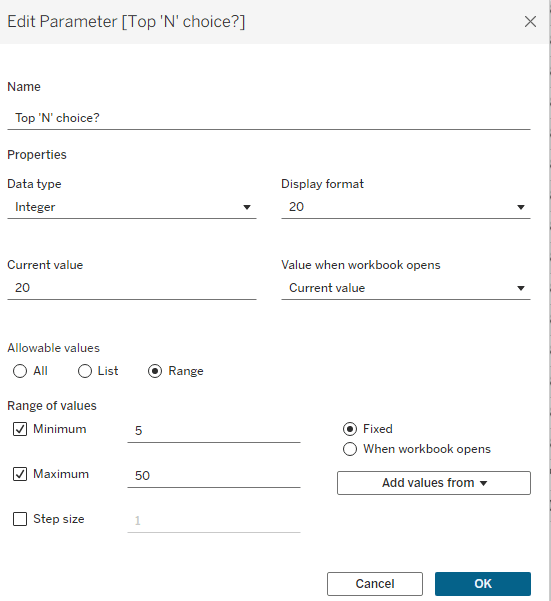
Select “Integer” and I capped mine at Top 50 and at minimum displays the top 5 products
Step (4) Create a Calculated Field for “In Top “N”?” and “Other?”
[Rank] <= [Top ‘N’ choice?] — (call it “In Top “N”)
[Rank] = [Top ‘N’ choice?] + 1 — (call it Other?)
Step (5) Create a Parameter for a selection between “Show All Products” or “Condense Others”
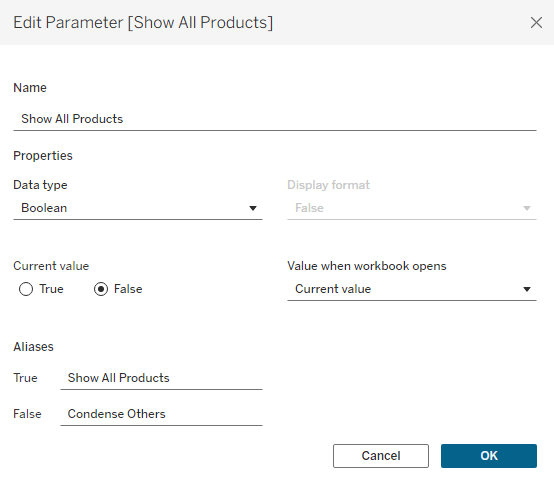
Step (6) Create a Tickets Sold Measure (this could be any measure to rank by)
IF ([In Top n?]) THEN
sum([Item Qty]) ELSEIF [Show All Products] THEN sum([Item Qty])
ELSEIF ([Others?]) THEN
WINDOW_SUM(sum([Item Qty*]), 0, LAST())
ELSE
NULL
END
Step (7) Create a Boolean set as “TRUE”
[In Top n?] OR [Others?] OR [Show All Products] — (call it Display?)
Step (7) Put it all together in Tableau
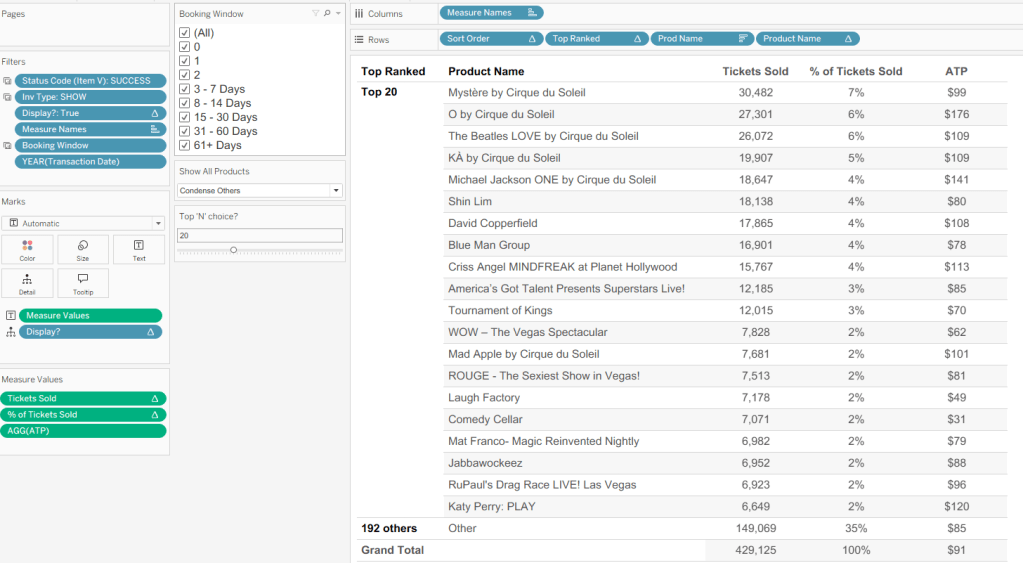
This combination displays the Top 20 products by your measure and condenses all others. Change the “Show All Products” parameter to “Show All Products” to break out the remaining 192 others, if needed




 Kylelar Maravich Business Page
Leave a comment